Delivery windows, timeline and status changes
RN • VIN • ETA
Orders, open tasks, delivery center details, change history and key milestones in one place.
Accessories and complete wheel sets for Tesla drivers, directly with community codes.
Boring Order Tracker brings together open orders, existing vehicles, personal vehicle reports, community statistics, AI-supported pickup recommendations, a multilingual blog, demo mode and demo reports in a single app for iOS and Android. Built for people who do not just want to wait for updates, but understand them.
Boring Order Tracker works with Tesla accounts and Tesla vehicles, but it is an independent third-party app. There is no affiliation with Tesla, no approval by Tesla and no use of the Tesla brand in the sense of an official partnership.
Orders, open tasks, delivery center details, change history and key milestones in one place.
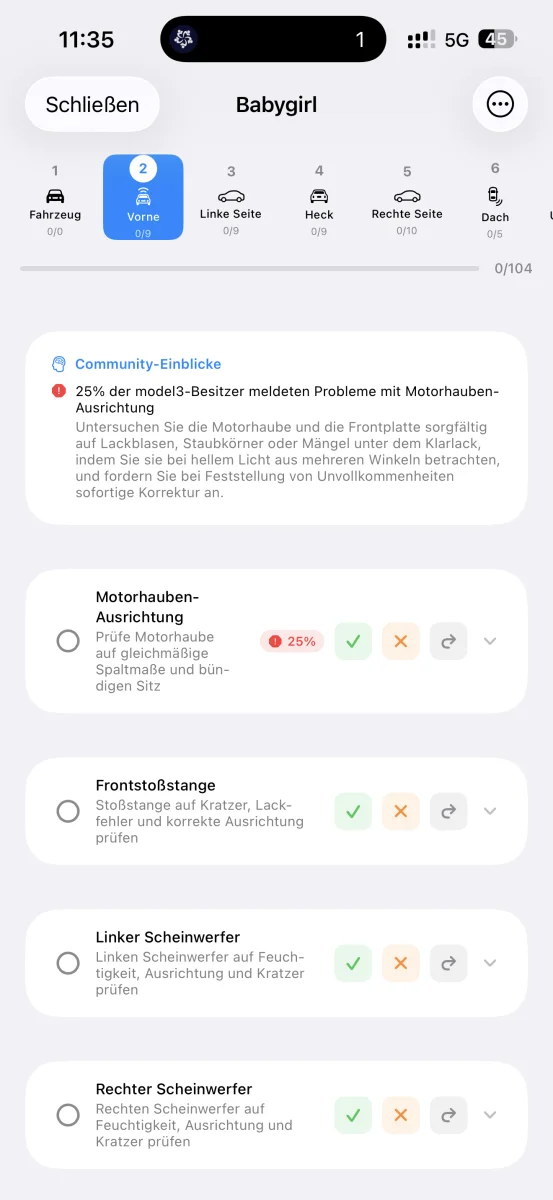
Highlights commonly reported issue zones like panel alignment, condensation or charge-port checks directly inside the pickup checklist.
Existing vehicles are not limited to the current moment. You get history, personal stats and a clean vehicle report.
The personal vehicle report combines live data, history, charts and, when available, the full linked order timeline in one PDF.
The app filters much deeper: open orders, cohorts, delivery centers, vehicle data, pickup issues and AI summaries. Here you get a compact preview from real data. The full analysis is waiting in the app.
Real issue areas appear here only as a clipped preview.
Open orders with status, delivery windows, VIN assignment, delivery center, timeline, change history and optional finance details with privacy and offline controls.
Live data for vehicles already in the account: battery level, range, charging state, software version, vehicle configuration, history, share view and a personal vehicle report.
Guided inspection checklist with photos, notes, issue markers, PDF/email report generation and a demo report for immediate hands-on exploration.
The app links documented community problems to specific vehicle areas and turns them into clear pickup guidance and AI summaries.
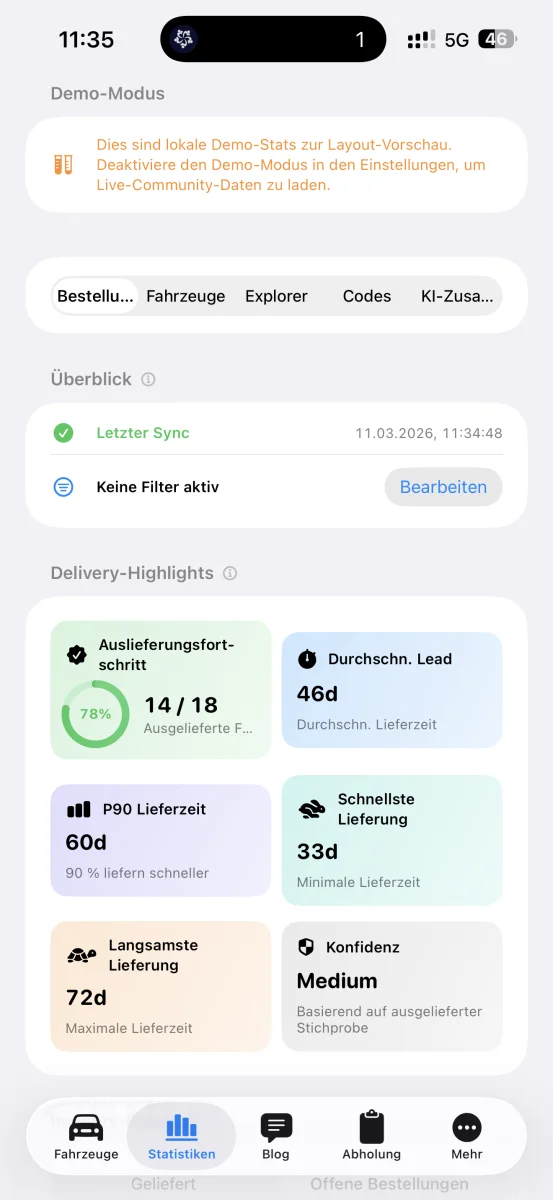
Aggregated insights for open orders, delivered vehicles, delivery centers, option codes, battery hints, software versions and AI-generated summaries.
Public profiles, multilingual blog, usernames, vehicle cards in profiles, mentions, replies, likes and optional supporter status.
The app was built around a simple need: not seeing Tesla orders as static states, but as evolving systems. Boring Order Tracker combines overview, history and detail depth in one place.
Many delivery changes happen in small scattered updates. Boring Order Tracker turns that into a traceable timeline and makes the process easier to understand.
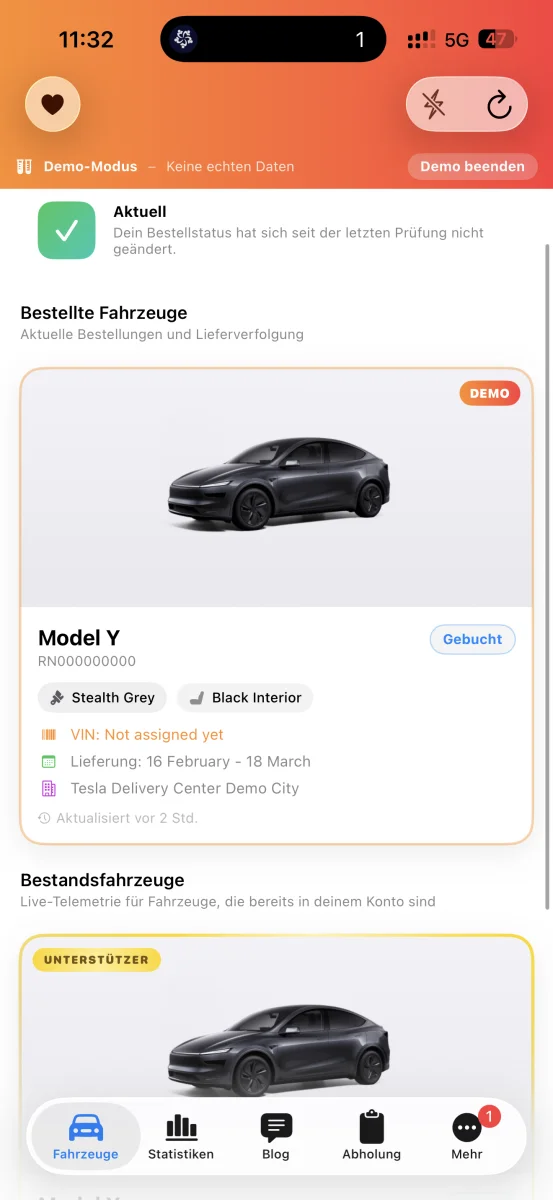
Boring Order Tracker does not stop at open orders. Existing vehicles can be monitored over time with tracked history, readable charts and a report that is useful for your records, service visits or a future sale.
The official app mainly shows the current status. Boring Order Tracker turns that into an understandable vehicle story with history, context and exportable documentation.
See what a personal vehicle report looks like with live snapshot, tracked history, charts and linked order details.
Open Vehicle ReportThe stats areas connect anonymized community data with your own vehicle and order context. That creates meaning: not only what is happening, but how often it happens.
Buyers, owners and data-curious users who want to understand trends in delivery timing, configuration patterns or software states without manually processing raw payloads.
The pickup area is more than a checklist. It connects specific vehicle areas with community experience, AI summaries and a report workflow that is easy to share.
The app does not just show a list of checks. It explains, based on community data, which areas deserve extra attention before you accept the vehicle.
In addition to tracking and inspection flows, Boring Order Tracker includes a public community layer: blog posts, replies, mentions, profiles, visible vehicles and translated content.
The community features stay tied to real vehicle and delivery workflows, which keeps the product useful instead of generic.
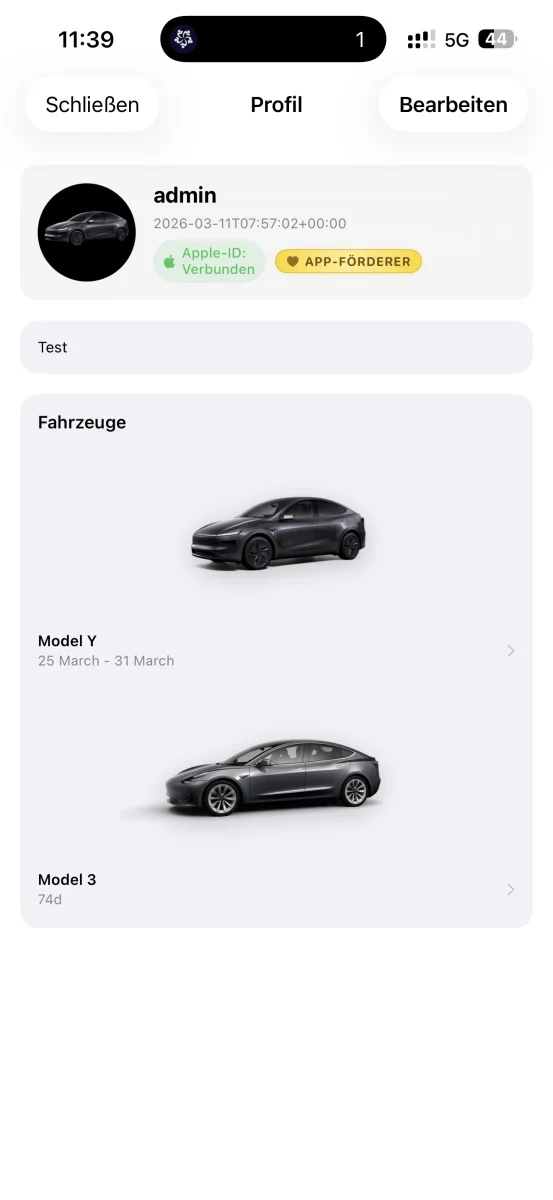
New users can experience the product before connecting real data. Demo mode, demo vehicle data and a demo report make the feature set tangible right away.
The demo report shows what a complete delivery documentation looks like and how Boring Order Tracker supports the handover process from start to finish.
See what a completed pickup report looks like – with all checkpoints, photos and AI recommendations.
Open Demo ReportThe app uses documented community inspections to make recurring problem zones easier to understand. Typical examples from the current project include:
Repeated references to uneven panel gaps around the hood and trunk lid, especially relevant during handover.
Multiple community reports covering paint contamination, clear-coat defects or visible finish problems on doors, fenders and rear sections.
Community-reported issues around front headlights, including condensation and asymmetric panel fit.
Practical delivery-day topics such as charge-port operation, app-key pairing, cameras and core first-day functionality tests.
The website is fully available in German, English and French. The app itself currently supports German, English, French and Spanish. Community and documentation areas are also designed with multilingual output in mind.
These sections give a clear impression of the app experience and the range of features available in Boring Order Tracker.
Booked vehicles, state, ETA and delivery windows at a glance.
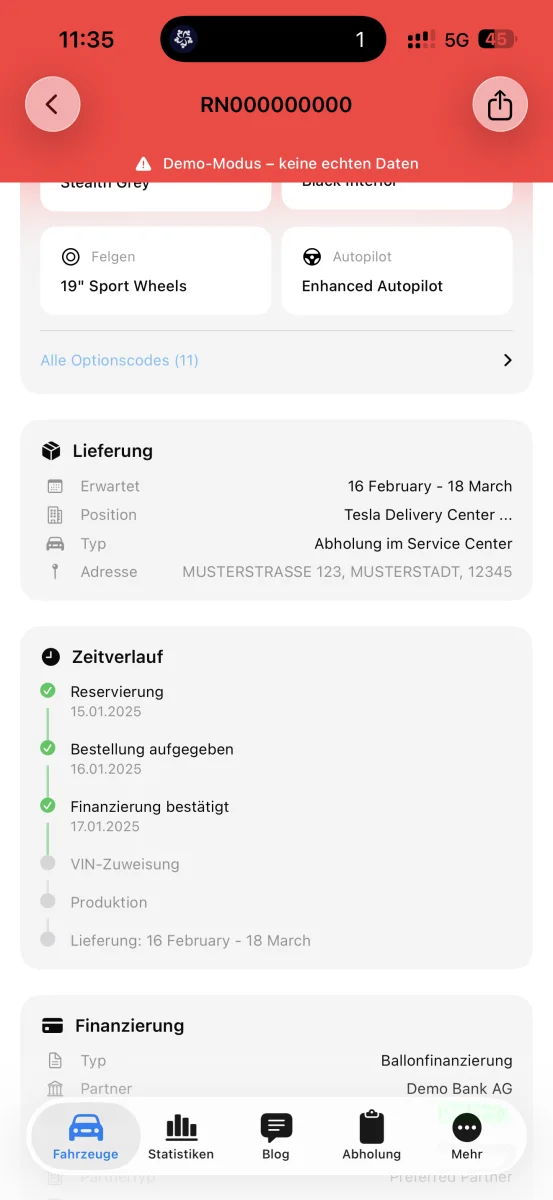
Delivery windows, milestones and status changes over time.
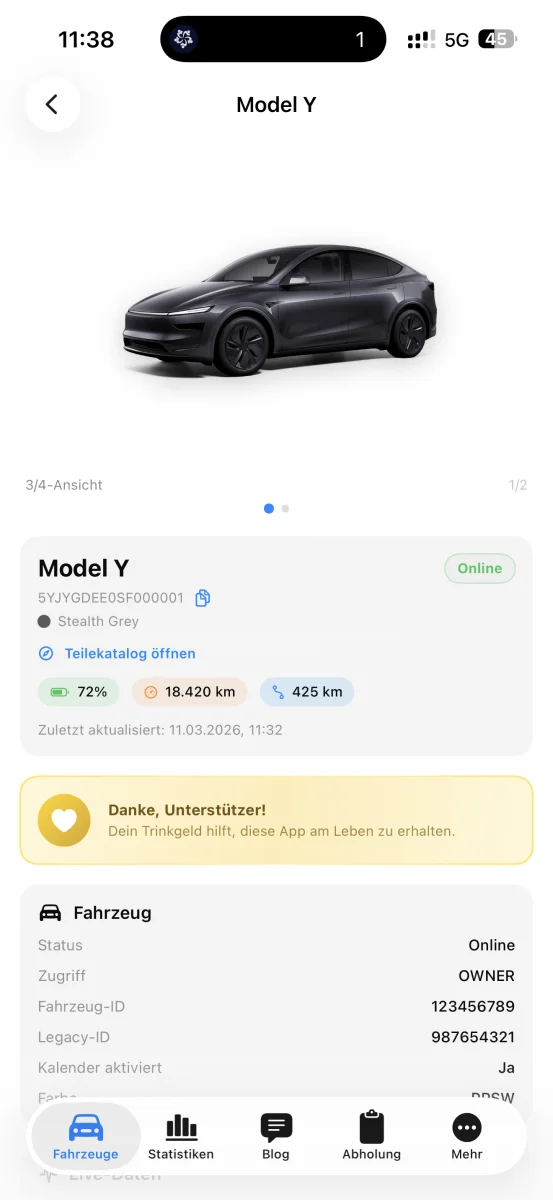
Battery, range, charging, software and configuration details.
Personal PDF report for one single existing vehicle with history and charts.
Explorer views, community stats and AI summaries.
Guided inspection with photos and structured checkpoints.
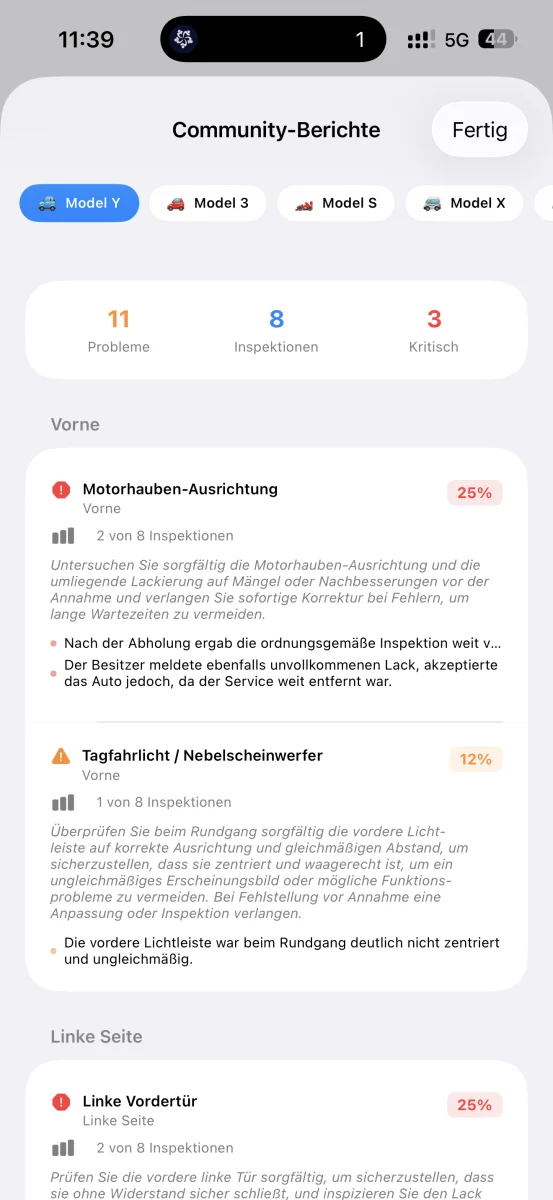
Recurring problem zones with percentages and AI summaries.
Example of the final delivery report ready to share or export.
Public profiles, visible vehicles and the built-in community blog.
Boring Order Tracker is free to use and completely free of ads. If the app helps you, we explicitly welcome voluntary donations. Those donations help fund ongoing development, infrastructure and server costs.
If you want to explore specific parts of the product in more detail, these pages provide focused overviews of handover checks, order progress and vehicle data.
The new app versions are not live yet. Registration, documentation and the synthetic sandbox are already available for development.
Learn more →Check cautious community and shipping evidence with transparent confidence. Your full VIN is not stored.
Check VIN →A closer look at the pickup checklist, recurring issue areas, photos and the final report.
Tesla Delivery Checklist →A closer look at delivery windows, timelines, status changes and order history.
Tesla Order Tracker →A closer look at battery, charging, software, option codes and community context.
Tesla Vehicle Stats →No. Boring Order Tracker is an independent third-party project. It works with Tesla accounts and Tesla vehicles, but it is not authorized, endorsed or supported by Tesla.
Boring Order Tracker is available on iOS and is additionally prepared for Android via Google Play as soon as the listing is live. The website presents both platforms together.
Order tracking, live vehicle data, community stats, pickup documentation, AI summaries, blog/profiles, support and demo mode.
Yes. There is a demo mode and a demo report so users can experience major parts of the app before connecting real Tesla data.
Yes. Boring Order Tracker is free to use and completely ad-free. Users who want to support the project can donate voluntarily through in-app purchases, which helps fund development and server costs.
The app supports German, English, French and Spanish. The website is fully switchable between German, English and French.
The pickup views use documented community inspections and AI-generated summaries to highlight recurring problem areas in a more understandable way.
Core local views are privacy-oriented. Community-facing functions such as stats, blog or ideas require explicit user consent before related data is shared.
Yes. Every delivery report created in the app includes a QR code. Scanning the code verifies the document on tostviewer.de/verify, including partially masked VIN, creation date and inspection statistics.
Boring Order Tracker is free, completely ad-free and ready to use immediately. Download the app, start the demo mode and see for yourself.